Home/Blog/MiniMax H3 Day-0 Support in ComfyUI: Open Weights, Native Audio, and 2K Video
human + AI workflows
MiniMax H3 Day-0 Support in ComfyUI: Open Weights, Native Audio, and 2K Video
MiniMax H3 Day-0 Support in ComfyUI: Open Weights, Native Audio, and 2K Video The landscape of AI-driven creative production is evolving at an unprecedented pace, with new models a
9 MIN READ
03 Aug 2026
human + AI workflows
MiniMax H3 Day-0 Support in ComfyUI: Open Weights, Native Audio, and 2K Video
The landscape of AI-driven creative production is evolving at an unprecedented pace, with new models and capabilities emerging almost daily. This rapid innovation demands equally agile and integrated environments for creators and developers. The recent release of MiniMax H3, an advanced omni-modal video model, exemplifies this acceleration, offering unparalleled features like open weights, native stereo audio, and 2K video output. Its immediate "day-0" integration with ComfyUI marks a significant milestone, enabling local inference and empowering creators to push the boundaries of visual and auditory storytelling. This paradigm shift underscores the critical need for sophisticated AI office environments, such as those facilitated by Nonilion, where human expertise and AI agent capabilities converge to harness these advancements for seamless, collaborative creative workflows.
01
Deconstructing MiniMax H3: An Omni-Modal Leap in Video Generation
MiniMax H3 represents a significant advancement in the realm of AI video generation, distinguishing itself as an open-weights, omni-modal model. As the third-generation video model from MiniMax, it is notably the first that the company has released with open weights, making it accessible to a broader community of developers and creators [1]. This openness is a game-changer, fostering innovation and allowing for widespread experimentation and integration.
Want your team to run this workflow with AI-native execution?
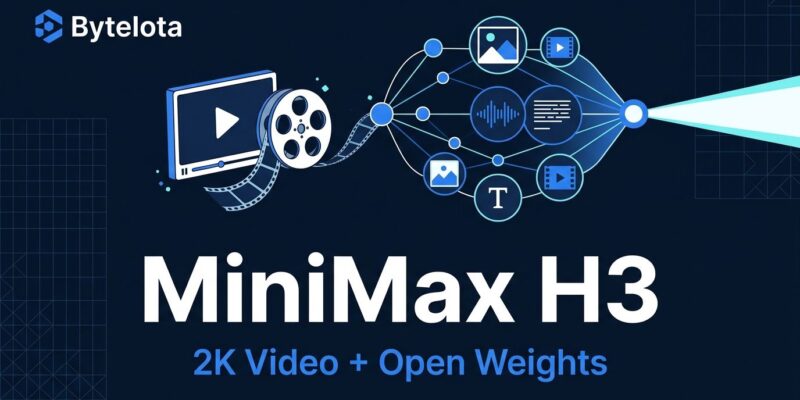
At its core, MiniMax H3 is designed for general-purpose multimodal generation, demonstrating a sophisticated understanding of unified context across various input modalities. It can process and interpret text, images, video, and audio simultaneously, resolving them into cohesive video outputs [2, 5]. This capability allows for highly nuanced and controllable content creation, moving beyond single-modality inputs to truly integrated storytelling.
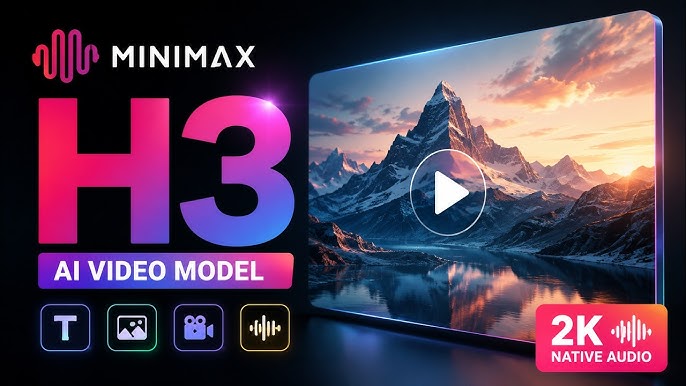
The model's output capabilities are equally impressive. MiniMax H3 generates video with real stereo sound, a feature that significantly enhances the immersive quality of the produced content [1, 5]. It supports resolutions up to 2K and can produce clips up to 15 seconds in length, offering high-fidelity visuals for a range of applications [1, 5]. This combination of multimodal input understanding and high-quality output positions H3 as a powerful tool for professional content creation.
Early testing of MiniMax H3 indicates its readiness for commercial content creation across diverse use cases [5]. The model excels at instruction following, ensuring that generated content aligns closely with user prompts. It also demonstrates accurate text and brand rendering, a crucial feature for advertising and branding applications where precision is paramount [5]. Furthermore, its video-to-video (V2V) motion transfer capabilities open up new avenues for dynamic content editing and transformation [5].
The design philosophy behind H3 emphasizes breaking boundaries between tasks, transitioning from specialized tools to a more general-purpose model [5]. This approach makes it highly versatile for industries such as advertising, branding, e-commerce, product design, UI/UX, and gaming [5]. Moreover, MiniMax H3 delivers industry-leading price-performance, offering 2K resolution at a per-second price significantly lower than mainstream models, making advanced AI video generation more accessible [5].
02The "Day-0" Advantage: MiniMax H3's Native Integration with ComfyUI
One of the most compelling aspects of the MiniMax H3 release is its immediate, "day-0" support within ComfyUI. This means that as soon as the open weights for MiniMax H3 were made public, native integration into ComfyUI was already in place [1, 2, 4]. This level of instantaneous support is a testament to the agility of the AI development ecosystem and the power of collaborative platforms.
For creators and developers, this "day-0" availability offers a significant advantage. It eliminates the typical waiting period for community-driven integrations, allowing for immediate experimentation and deployment of this powerful new model [1]. The ability to access and utilize MiniMax H3's capabilities from the very first day of its open-weight release accelerates the pace of innovation and creative output.
ComfyUI, known for its flexible and powerful node-based workflow system, provides an ideal environment for MiniMax H3. The model is specifically optimized for local inference within ComfyUI, which is crucial for users who prioritize privacy, control, and cost-efficiency [1]. This optimization ensures that even complex multimodal video generation tasks can be performed efficiently on local hardware.
The integration is facilitated through ComfyUI's Partner Nodes, streamlining the process of getting started with MiniMax H3 [7]. Users simply need to update their ComfyUI installation to version 0.30.0 or later to access the full suite of H3 functionalities [3]. This seamless setup underscores the commitment to making advanced AI tools readily available and usable for the community. The immediate support not only showcases the technical prowess of the integration but also highlights a forward-thinking approach to model deployment, ensuring that cutting-edge AI is put into the hands of creators without delay.
03Unlocking Creative Potential: MiniMax H3 Workflows in ComfyUI
The native integration of MiniMax H3 into ComfyUI unlocks a vast array of creative possibilities, enabling sophisticated video generation workflows that leverage the model's omni-modal capabilities. Within ComfyUI, users can explore and implement various generation paradigms, including Text-to-Video (T2V), Image-to-Video (I2V), and Reference-to-Video (R2V) [3, 4]. Each workflow is designed to harness MiniMax H3's ability to understand and synthesize unified context from diverse inputs.
For Text-to-Video (T2V), creators can provide detailed textual prompts, guiding the AI to generate video sequences that align with their narrative vision [3, 4]. This allows for direct translation of conceptual ideas into visual form, complete with native stereo audio. The underlying components for T2V workflows in ComfyUI typically involve a specific Diffusion Model (e.g., minimax_h3_fl2va_pruned_int8_convrot), a Text Encoder (e.g., qwen3vl_32b_minimax_h3_nvfp4_awq), and dedicated VAEs for both video (minimax_h3_video_vae_fp16) and audio (minimax_h3_audio_vae_fp32) [3].
Image-to-Video (I2V) workflows empower users to animate static images, transforming them into dynamic video clips [3, 4]. This can be particularly useful for bringing existing visual assets to life or creating motion graphics from still designs. The process utilizes similar core models, with the input image serving as a foundational element for the generated video [3]. For instance, an input image like transparent_rgb_gaming_mouse.png could be animated to create a product showcase video [3].
Reference-to-Video (R2V) takes creative control a step further by allowing users to provide reference images that influence the style, composition, or subject matter of the generated video [3, 4]. This enables a higher degree of consistency and artistic direction, ensuring that the output aligns with a specific visual aesthetic. Examples include using red_superboy_on_city_roof.png or mecha_dragon_lightning.png as visual guides for new video content [3]. The Diffusion Model for R2V workflows may differ slightly (e.g., minimax_h3_ref2va_pruned_int8_convrot) to accommodate the reference input [3].
A key highlight across all these workflows is MiniMax H3's capability to generate video with real stereo sound and up to 2K resolution [1, 3]. This native audio support is crucial for producing professional-grade content that is both visually stunning and audibly rich. ComfyUI also provides options for setting the output resolution and speeding up generation through features like Sage Attention, giving creators fine-grained control over their output and efficiency [3]. These comprehensive workflow examples demonstrate MiniMax H3's versatility and its potential to revolutionize how video content is created, from initial concept to final production.
04Optimizing for Performance: Running MiniMax H3 Locally
The ability to run MiniMax H3 locally is a cornerstone of its "day-0" appeal, offering significant advantages in terms of control, privacy, and cost-effectiveness for creators and developers. This powerful model has been greatly optimized within ComfyUI, making local inference a practical reality for a wide range of hardware [1].
Remarkably, MiniMax H3 is capable of running locally even on consumer-grade GPUs, with sources indicating compatibility with a 3060 graphics card [1]. This accessibility lowers the barrier to entry for advanced AI video generation, allowing individual creators and small studios to leverage cutting-edge technology without the
For MiniMax H3 Day-0 Support in ComfyUI: Open Weights, Native Audio, and 2K Video, Nonilion can be used as the practical AI-office example: a shared workspace where human teammates and AI agents keep discussion, decisions, and execution connected.
05Why This Trend Matters for Nonilion
This trend matters to Nonilion because it points to a bigger change: teams are moving from simple calls toward persistent, AI-supported collaboration spaces. Nonilion can bridge live presence, meeting context, avatars, and follow-up work so the trend becomes a usable workflow instead of a headline.
06Shareable Extracts
The trend is not just "MiniMax H3 Day-0 Support in ComfyUI: Open Weights, Native Audio, and 2K Video" - it is a signal that team coordination is becoming the next competitive edge.
Hot take: the teams that win from this shift will not be the ones with more meetings; they will be the ones with clearer shared context after every meeting.
If minimax h3 day-0 support in comfyui: open weights, native audio, and 2k video keeps moving this fast, remote teams need a workspace where conversation, presence, and follow-up stay connected.
MiniMax H3 Day-0 Support in ComfyUI: Open Weights, Native Audio, and 2K Video The landscape of AI-driven creative production is evolving at an unprecedented pace, with new models and capabilities emerging almost daily.
This rapid innovation demands equally agile and integrated environments for creators and developers.
07Social Hooks
Everyone is talking about MiniMax H3 Day-0 Support in ComfyUI: Open Weights, Native Audio, and 2K Video. The overlooked part is what happens to team workflows after the headline fades.
The uncomfortable question behind MiniMax H3 Day-0 Support in ComfyUI: Open Weights, Native Audio, and 2K Video: are teams adapting their collaboration systems fast enough?
This is not a meeting trend. It is a coordination trend, and products like Nonilion sit right in the middle of that shift.
This article on MiniMax H3 Day-0 Support in ComfyUI: Open Weights, Native Audio, and 2K Video was generated by the Nonilion AI blog workflow using web research inputs and AI-assisted synthesis.