Home/Blog/Android May Soon Restrict On-Device ADB: What It Means for Teams, Workflows, and AI Offices
Developer Productivity
Android May Soon Restrict On-Device ADB: What It Means for Teams, Workflows, and AI Offices
Android May Soon Restrict On-Device ADB: What It Could Mean for Teams, Workflows, and AI Offices Android may restrict on-device ADB in ways that matter beyond a narrow developer se
13 MIN READ
25 Jul 2026
Developer Productivity
Android May Soon Restrict On-Device ADB: What It Could Mean for Teams, Workflows, and AI Offices
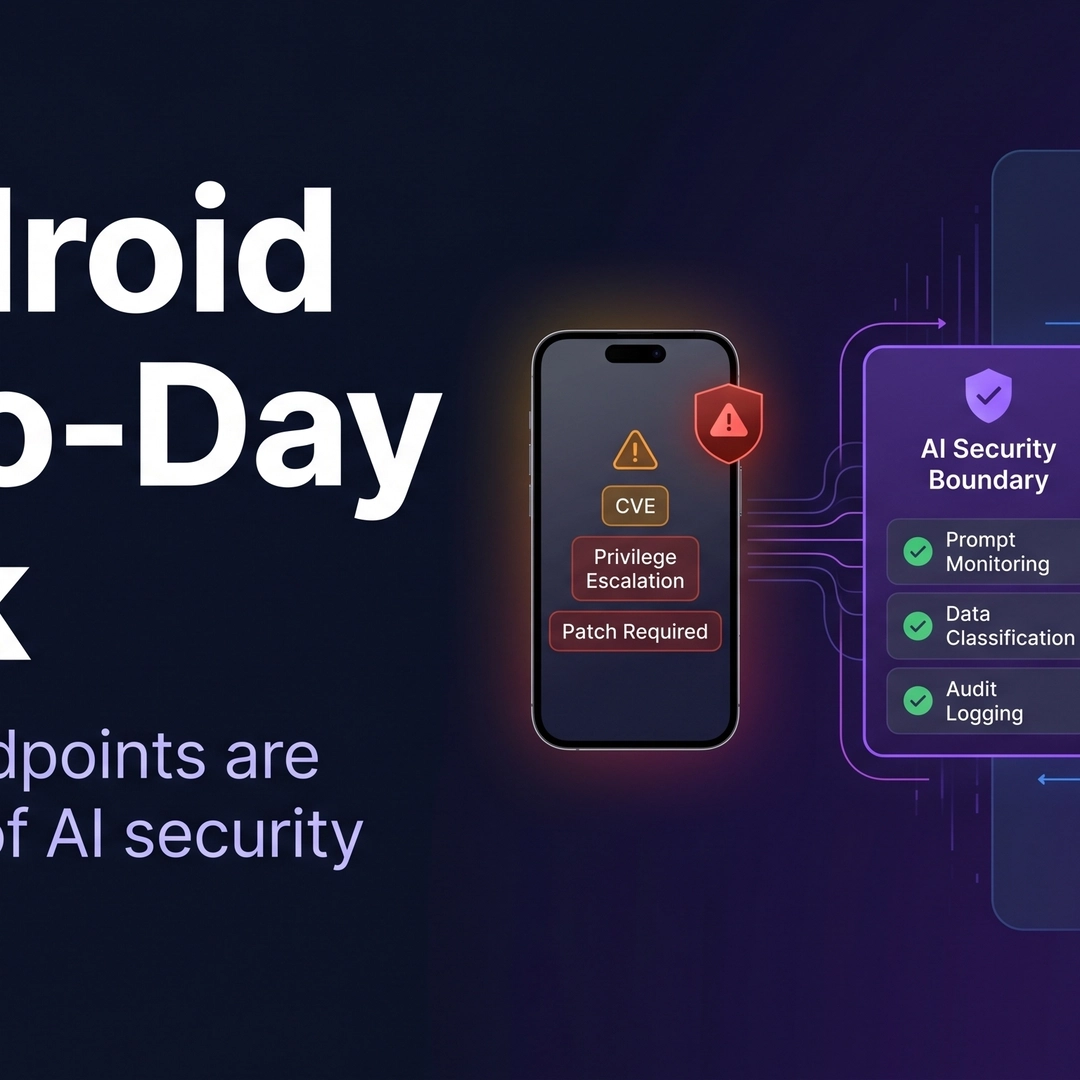
Android may restrict on-device ADB in ways that matter beyond a narrow developer setting. ADB has long been used to debug apps, install packages, and recover devices when normal workflows break. If access becomes more limited, the impact could reach developers, QA teams, IT admins, and power users who depend on direct device control.
For organizations that rely on fast handoffs and shared troubleshooting, this is also a workflow story. In an AI office model like Nonilion, humans and AI agents can help keep work moving when direct device access is more constrained by routing tasks, documenting steps, and coordinating follow-ups asynchronously.
01What Android May Soon Restrict On-Device ADB Could Mean
Want your team to run this workflow with AI-native execution?
ADB, or Android Debug Bridge, is the tool many teams use to interact with Android devices from a computer or shell. The sources show recurring pain points around device authorization, install restrictions, and post-reboot behavior, including issues like adb devices requires adb kill-server following adb reboot ..., Question - adb install not allowed, and ADB Android Device Unauthorized.
If Android tightens on-device ADB access, the practical meaning is that some actions that were previously routine may become harder, more limited, or require additional approval. That does not automatically mean ADB disappears, but it does suggest a more controlled environment around device-level debugging and installation.
This fits a broader Android pattern already visible in the source material. Google’s support guidance on restricted settings explains that some device settings may be restricted when an app is installed, and those settings can’t be changed unless restricted settings are allowed.
02Why Google Might Tighten On-Device ADB Access Now
The clearest clue in the sources is security. Google’s Android Help page says harmful apps might ask users to change settings that put the device or data at risk, so some settings are restricted to protect users.
The analyzed sources also point to user confusion around restrictions. One example discusses a phone being “restricted suddenly,” while another Reddit thread shows a user trying to lift an ADB restriction on MIUI, enabling USB debugging, and still not getting the expected result. In other words, device control can already be unpredictable for some users.
There is also a trust issue. The Android Help page on restricted settings includes scam-awareness language such as “You’ve been contacted out of nowhere,” “The app insists you change a device setting,” and “It’s too good to be true.” That context matters because ADB-style access can be powerful, and powerful access often gets wrapped into broader safety controls.
03Who Feels the Impact First: Developers, QA Teams, IT Admins, and Power Users
The first people affected are the ones who use ADB as part of daily operational work. The Stack Overflow example shows a developer who could no longer debug after reinstalling Eclipse, while the XDA forum example shows a user unable to install packages using adb install.
Here is how the impact may break down based on the source patterns:
Developers may face more friction when attaching devices, installing builds, or recovering from authorization problems.
QA teams may lose some speed in test setup, especially when they depend on repeatable device-side actions.
IT admins may need more policy-aware workflows if device access is increasingly restricted by default.
Power users may find common troubleshooting steps, such as enabling USB debugging, are not always enough.
The key shift is not just technical. It is operational. When a workflow depends on direct device access, any new restriction can create queues, delays, and more back-and-forth between the person who finds the issue and the person who can resolve it.
This is where a shared AI office model becomes useful. In Nonilion, an AI agent can capture the issue, summarize the failed steps, and prepare the next action for a human teammate instead of forcing everyone to wait on a live device session.
Restricted ADB changes the shape of routine work in several ways. The sources suggest that even today, teams already encounter authorization problems, install blocks, and post-reboot issues that require extra steps. If on-device ADB becomes more limited, those friction points could become more common and more consequential.
Common workflow changes to expect
Slower debugging loops: A developer may need more time to confirm whether a device is authorized or whether a setting is still allowed.
More failed installs: If adb install is not allowed in some contexts, app deployment becomes less direct.
More dependency on device policy: What used to be a simple command may now depend on whether restricted settings are permitted.
More support handoffs: A user who once handled a fix locally may now need help from a teammate or admin.
This matters because Android workflows are often built around momentum. A small interruption in device access can break the rhythm of debugging, testing, or support. When that happens repeatedly, teams spend more time coordinating than solving.
The same pattern appears in scam-prevention guidance from Android Help. If a device setting is restricted because it could expose the user to harm, then the system is intentionally making risky actions harder. That may be good for safety, but it also means teams need safer alternatives that preserve productivity.
05What Teams Can Do Instead: Safer, Policy-Compliant Alternatives to On-Device ADB
The sources do not provide a single replacement for ADB, so the right response is to design workflows that reduce dependence on direct device access. The goal is not to work around policy, but to build processes that still function when device actions are constrained.
Practical alternatives to consider
Use clearer handoff documentation
Record the exact command, device state, and error message.
Keep the troubleshooting trail visible to the whole team.
Separate local debugging from shared coordination
Let one person handle the device while others prepare logs, notes, and next steps.
Avoid making every issue depend on a live screen-share.
Adopt managed or remote workflows where appropriate
If direct access is increasingly constrained, teams may need remote or policy-managed device processes.
This is especially relevant for QA and IT environments.
Build approval-aware procedures
Treat restricted settings as part of the workflow, not an exception.
Make it clear which steps require explicit permission.
Document failure states as first-class data
“ADB Android Device Unauthorized” and “adb install not allowed” are not just errors; they are workflow signals.
Capture them so the team can identify patterns.
In an AI office like Nonilion, AI agents can help turn these alternatives into a living process. They can document the issue, route it to the right person, and keep the thread active while humans focus on the actual device decision.
06When to Keep Local Debugging vs. Move to Remote or Managed Device Workflows
Not every team should abandon local debugging. The better question is when direct device access still adds value and when it has become a bottleneck.
Keep local debugging when:
The issue is isolated and requires immediate hands-on inspection.
The team has clear authorization and a stable device setup.
The workflow is short and the device owner is already available.
Move toward remote or managed workflows when:
The same ADB problems keep recurring across devices.
Multiple people need to coordinate around one device.
Policy restrictions make local access unreliable.
The cost of interruption is higher than the cost of setup.
The source material suggests a world where device access is becoming more controlled. That means teams should decide in advance which work belongs in a local session and which work should be handled through a managed process.
This is also where human + AI collaboration becomes strategic. In Nonilion, an AI agent can prepare the context for a remote troubleshooting session, while a human decides whether the issue truly needs direct device intervention.
07Where AI Offices Like This Platform Fit in a Restricted-ADB World
A restricted-ADB environment increases the value of coordination, documentation, and async execution. That is exactly where AI offices like this platform fit. Instead of relying on every person to have immediate device access, teams can use a shared workspace where humans and AI agents collaborate on the surrounding work.
That surrounding work is often the real bottleneck. Someone has to collect the error, summarize what was tried, identify the next safe step, and make sure the right person sees it. AI agents can handle much of that routing and documentation so the human team can focus on judgment and execution.
In practice, that means this platform can support:
Meeting follow-ups after a debugging call
Async execution of task handoffs and status updates
Workflow automation for issue capture and routing
Team coordination when one device must be shared across multiple roles
The point is not that AI replaces ADB. The point is that when direct device control becomes more limited, the office layer around the device matters more. This platform represents that layer: a shared environment where AI agents keep the work organized while humans make the technical calls.
08How AI Agents Can Help Route, Document, and Accelerate Debugging Without Direct Device Access
AI agents are especially useful when the device itself is no longer the only source of progress. They can help teams maintain momentum even if the next ADB step must wait for approval, a policy change, or a different workflow.
Useful AI agent roles in this context
Issue intake: Convert a developer’s note into a structured ticket.
Command logging: Record the exact ADB command and result for later review.
Routing: Send the problem to QA, IT, or the right developer based on the failure type.
Follow-up drafting: Prepare a concise summary after a debugging session.
Checklist enforcement: Remind the team which steps are allowed and which require permission.
This does not remove the need for expertise. It makes expertise easier to apply. If a user reports that USB debugging did not solve the issue, or that adb install is not allowed, an AI agent can preserve the context so a human does not have to reconstruct the whole story from scratch.
That is the broader future-of-work implication. As Android becomes more restrictive, the best teams will not just be those with the most device access. They will be the teams that can coordinate fastest around limited access.
09A Practical Migration Checklist for ADB-Heavy Teams
If your team depends heavily on ADB, the safest response is to prepare now. Based on the source material, here is a practical migration checklist.
Inventory your ADB-dependent workflows
Identify which tasks require direct device access.
Separate debugging, installation, and recovery steps.
Include unauthorized devices, install blocks, and reboot-related issues.
Keep examples of what was tried and what happened.
Review restricted-setting dependencies
Check where your workflows rely on permissions or settings that may be restricted.
Align those steps with policy.
Create a fallback path for each critical task
Decide what happens if local ADB is unavailable.
Define who owns the next step.
Use an AI office workflow for coordination
In this platform, let AI agents capture, route, and summarize the issue while humans handle the device-specific decision.
This keeps the team moving even when access is delayed.
Train for faster handoffs
Make sure developers, QA, and IT can all recognize the same error patterns.
Standardize how the team escalates restricted-access problems.
10Key Takeaways
Android may restrict on-device ADB in ways that fit a broader push toward safer, more controlled device settings. For developers, QA teams, IT admins, and power users, the impact is not abstract: it touches debugging, installs, authorization, and everyday troubleshooting.
The best response is not panic, but workflow design. Teams should document failure states, define fallback paths, and move coordination into a shared system that works even when device access is limited. In that model, this platform is useful as an AI office where humans and AI agents collaborate on routing, documentation, and async follow-through.
That is the strategic shift: when direct device control becomes harder, the teams that win will be the ones that make the surrounding work easier.
11Why This Trend Matters for Nonilion
This trend matters to Nonilion because it points to a bigger change: teams are moving from simple calls toward persistent, AI-supported collaboration spaces. Nonilion can bridge live presence, meeting context, avatars, and follow-up work so the trend becomes a usable workflow instead of a headline.
12Shareable Extracts
The trend is not just "Android May Soon Restrict On-Device ADB: What It Means for Teams, Workflows, and AI Offices" - it is a signal that team coordination is becoming the next competitive edge.
Hot take: the teams that win from this shift will not be the ones with more meetings; they will be the ones with clearer shared context after every meeting.
If android may soon restrict on-device adb: what it means for teams, workflows, and ai offices keeps moving this fast, remote teams need a workspace where conversation, presence, and follow-up stay connected.
Android May Soon Restrict On-Device ADB: What It Could Mean for Teams, Workflows, and AI Offices Android may restrict on-device ADB in ways that matter beyond a narrow developer setting.
ADB has long been used to debug apps, install packages, and recover devices when normal workflows break.
13Social Hooks
Everyone is talking about Android May Soon Restrict On-Device ADB: What It Means for Teams, Workflows, and AI Offices. The overlooked part is what happens to team workflows after the headline fades.
The uncomfortable question behind Android May Soon Restrict On-Device ADB: What It Means for Teams, Workflows, and AI Offices: are teams adapting their collaboration systems fast enough?
This is not a meeting trend. It is a coordination trend, and products like Nonilion sit right in the middle of that shift.
This article on Android May Soon Restrict On-Device ADB was generated by the Nonilion AI blog workflow using web research inputs and AI-assisted synthesis.